Vault — Multi-Role Project Delivery Cockpit & AI Assistant
Vault is an enterprise-grade, multi-role project management cockpit designed for modern engineering teams. It bridges the gap between client visibility, engineering execution, and program management by uniting structured intake, resource capacity planning, and bi-directional Jira Cloud syncing into a single, real-time workspace.
🗺️ Delivery Journey & System Architecture
Vault aligns four organizational roles into a continuous delivery loop, synchronized in real-time via a Redis Pub/Sub Server-Sent Events (SSE) tunnel and an incoming Jira webhook stream:
[1. Client Intake & RICE] ──> [2. TPM Capacity Allocation] ──> [3. AE Execution & Standup] ──> [4. Admin Cockpit & AI Analytics]
         ▲                                                                                                    │
         └────────────────────────── Bi-Directional Jira & Webhook Loop ─────────────────────────────────────┘
Technical Stack Overview
- FrontendReact SPA, Vite, Tailwind CSS V3, SVG Gantt charting engine, SSE hooks.
- BackendNode.js, Express, Jira Cloud REST APIs, Redis Pub/Sub broker, PostgreSQL.
- AI OrchestrationDify Docker stack (Ollama / Llama 3), lean-prompting, 4h Redis TTL cache.
🖼️ User Portals & Visual Walkthrough
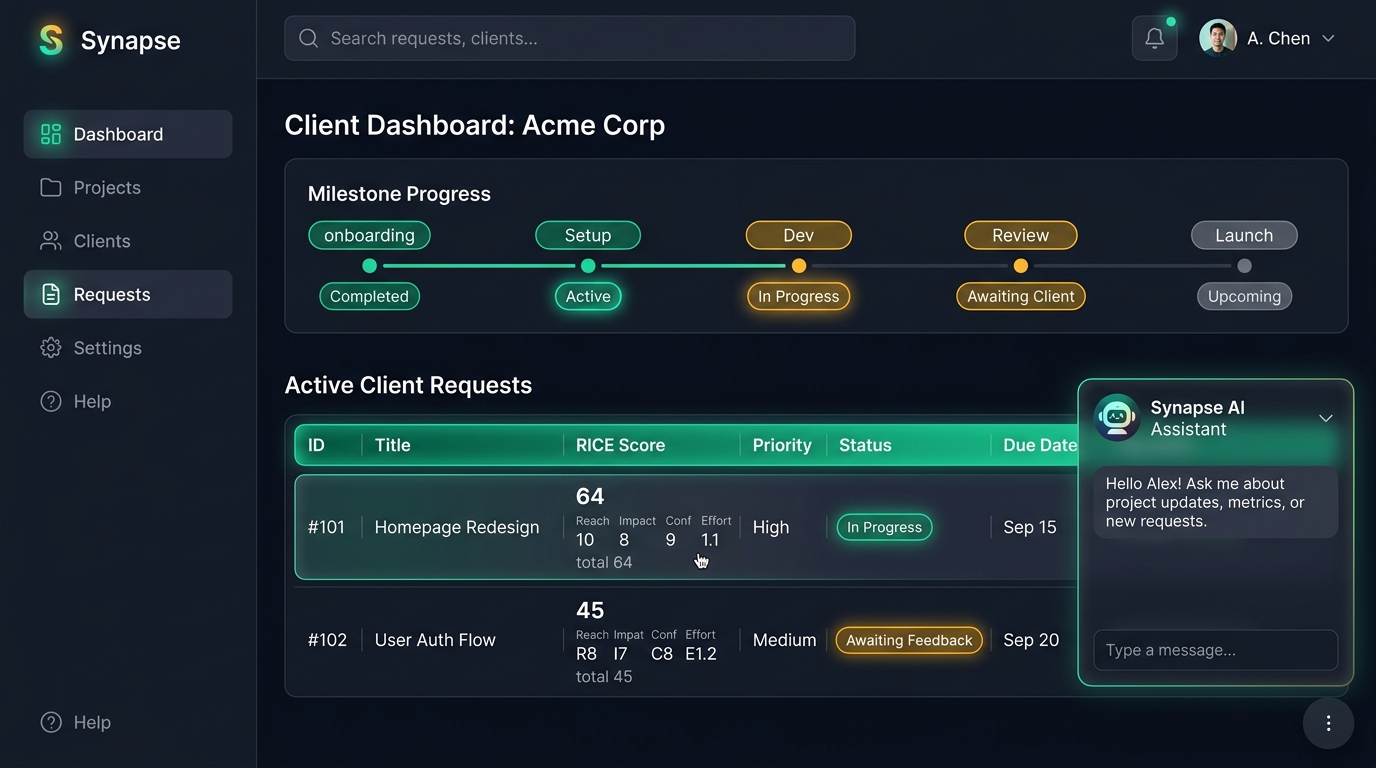
1. Client Portal — Prioritized Intake & Timeline
Clients gain a clear, scoped view of their active milestones and can submit delivery requests, scoring them mathematically using the RICE model (Reach, Impact, Confidence, Effort).
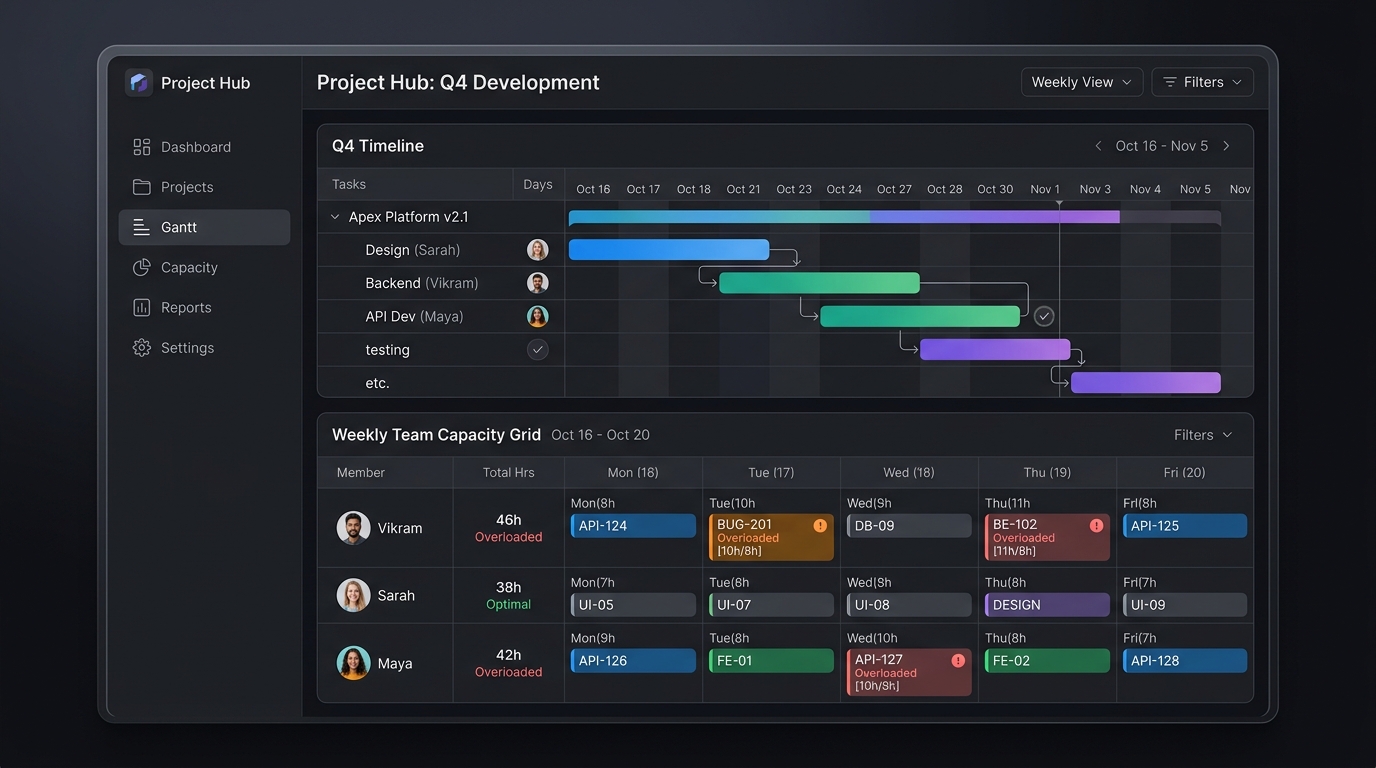
2. TPM Workbench — Drag-and-Drop Capacity Scheduling
Technical Program Managers (TPMs) schedule sprints by dragging Jira tickets directly onto engineers' calendars. The board displays real-time overload safety badgesif an engineer's allocation exceeds 8 hours a day.
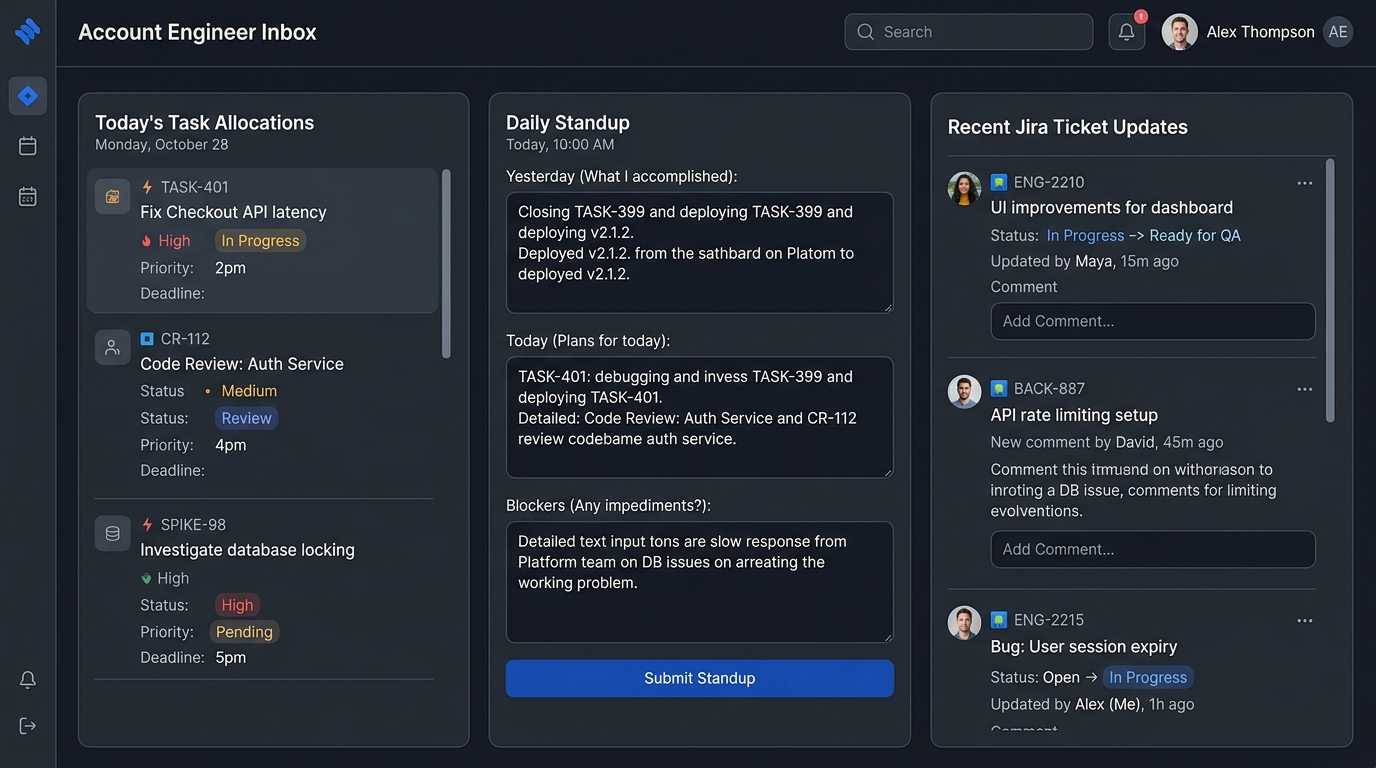
3. AE Workspace — Clean Inbox & Standup Compliance
Account Engineers (AEs) land on a focused list of today's allocations. They submit their EOD standups and write status transition comments that sync directly back to the Jira issue history.
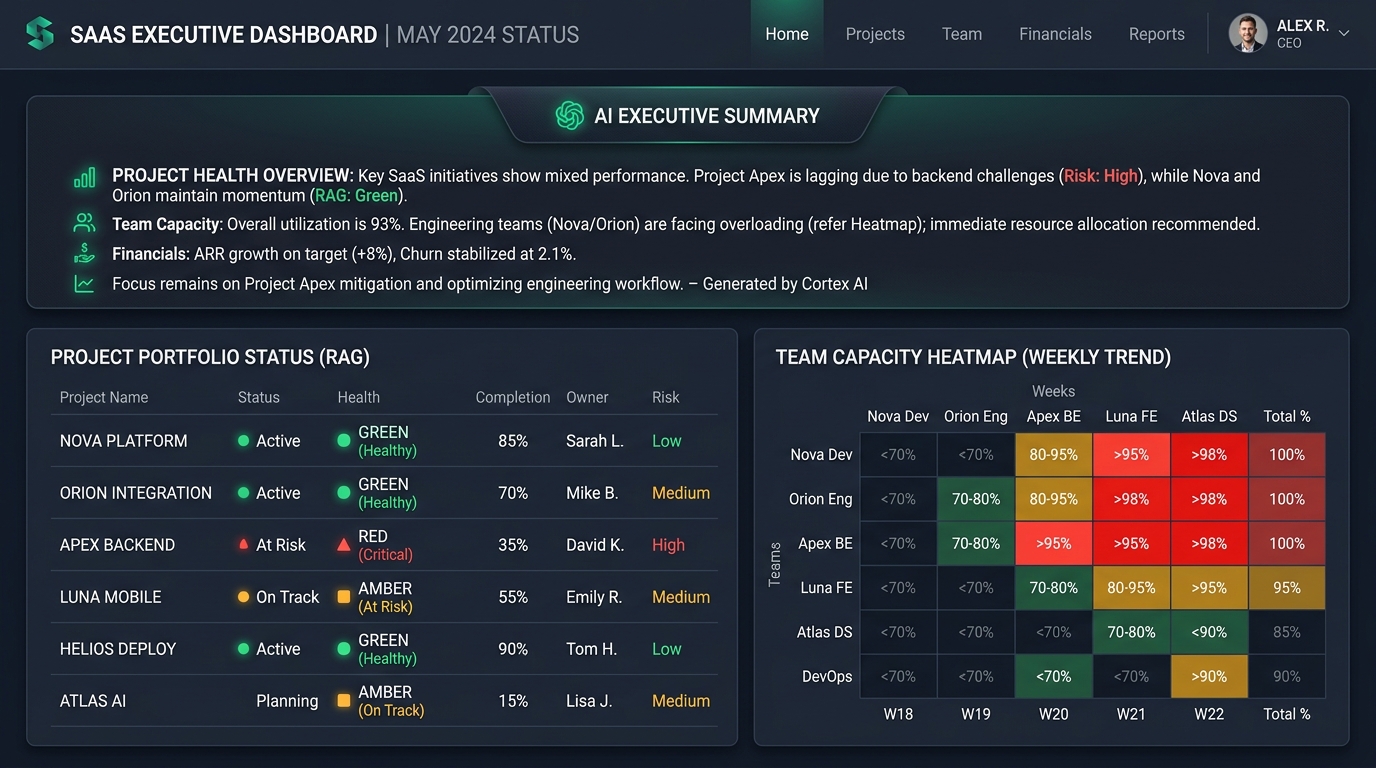
4. Admin Cockpit — Executive Summary & Portfolio Health
Admins and leadership view cross-organizational heatmaps, override project RAG (Red-Amber-Green) signals, and consume AI-generated executive summaries cached efficiently in Redis.
⚡ Key Synchronization Engines
Server-Sent Events (SSE) Sync
- When a TPM assigns a ticket, backend writes allocation and publishes to
pm:eventsRedis channel. - The Express SSE server catches the Redis event and pushes it to connected browsers.
- Frontend
usePmEvents()hook intercepts payload, debounces by 300ms, and refreshes component state.
Bi-Directional Jira Webhook Loop
- When a ticket status changes in Jira, a webhook is fired to
POST /api/jira/webhook. - Vault records the transition, alerts the assigned engineer's Inbox, and prompts them for audit comments.
- Engineer explanations are posted directly back to Jira as issue comments via
jira.addComment().